

Drop the order. The file builds itself.
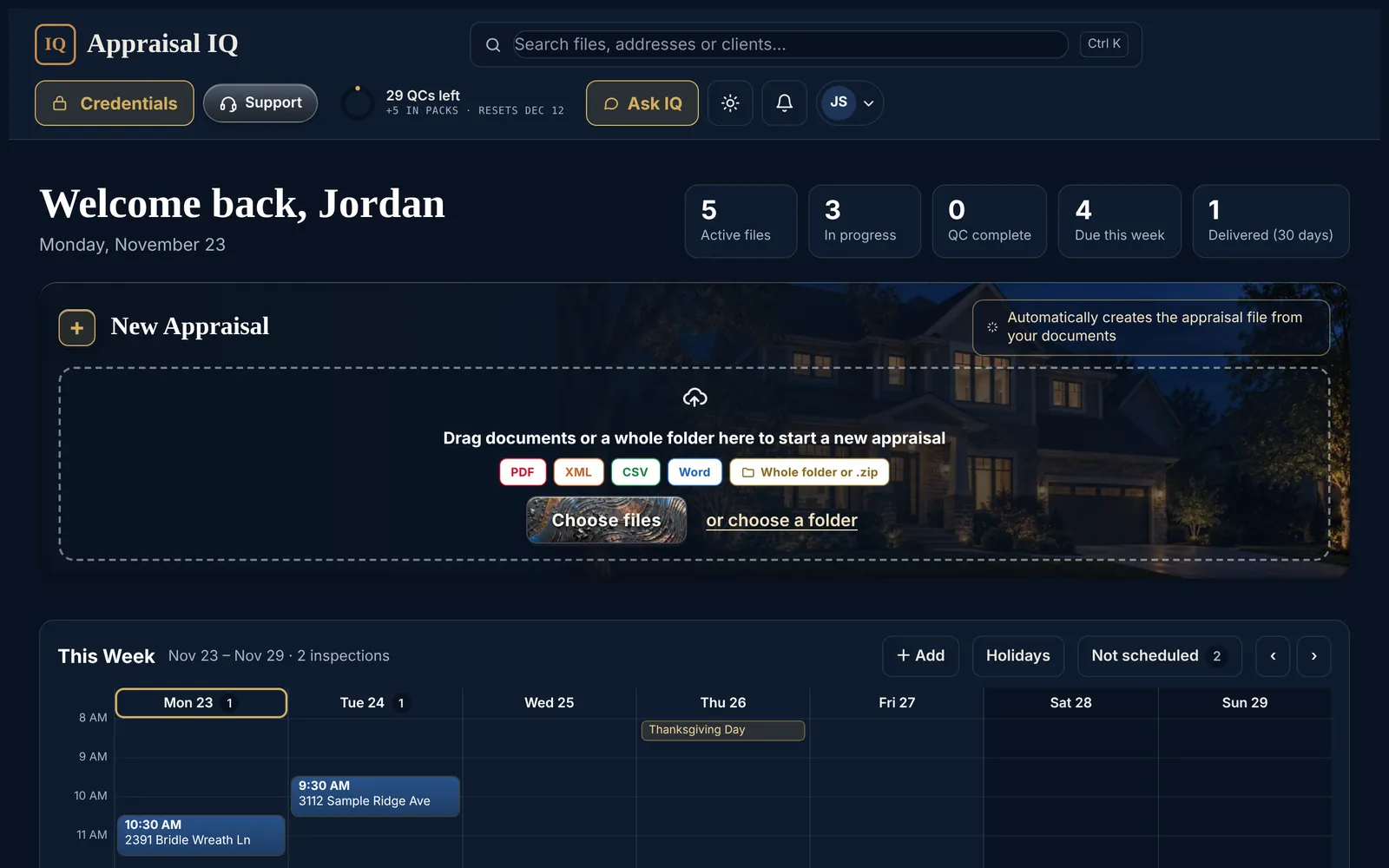
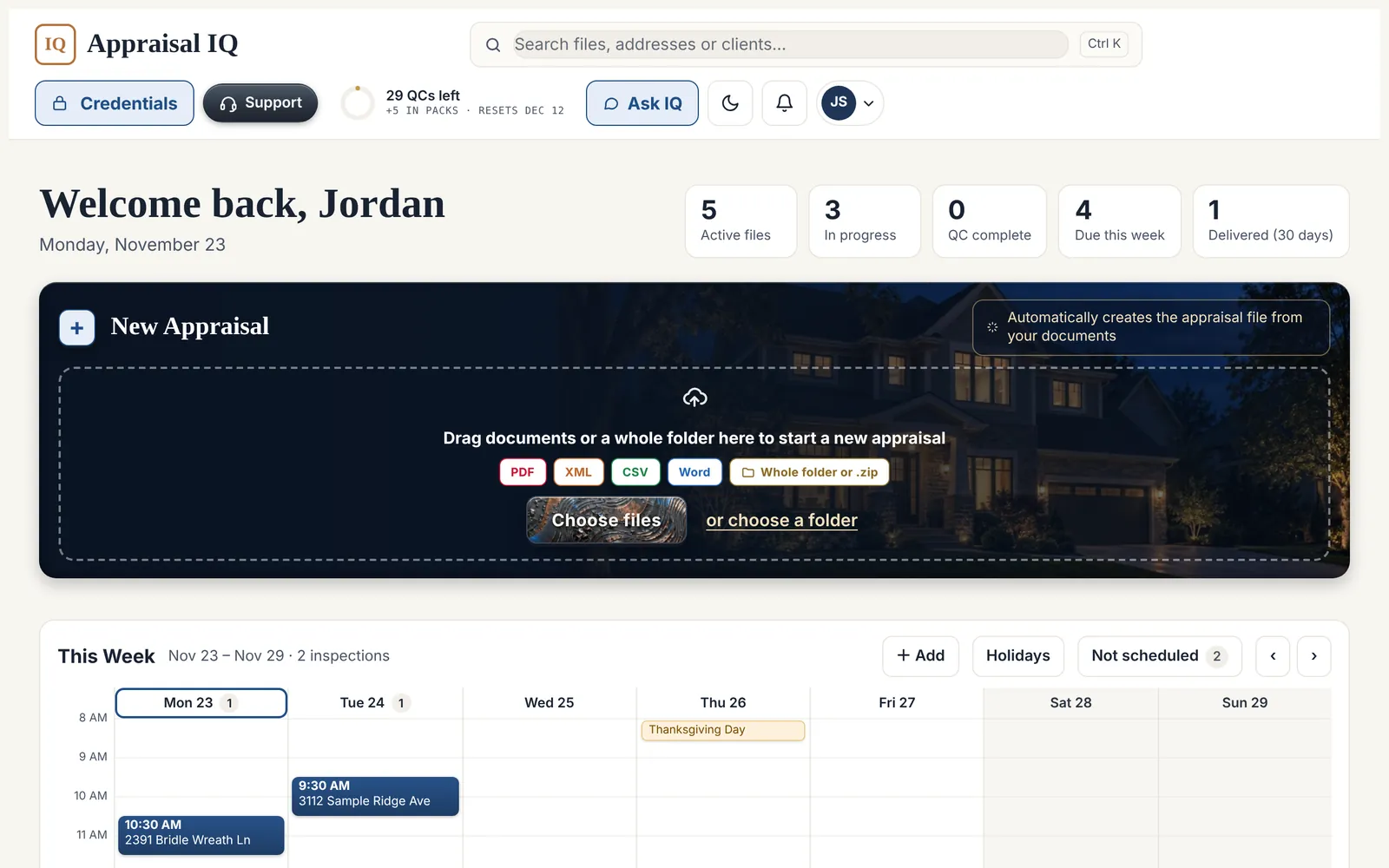
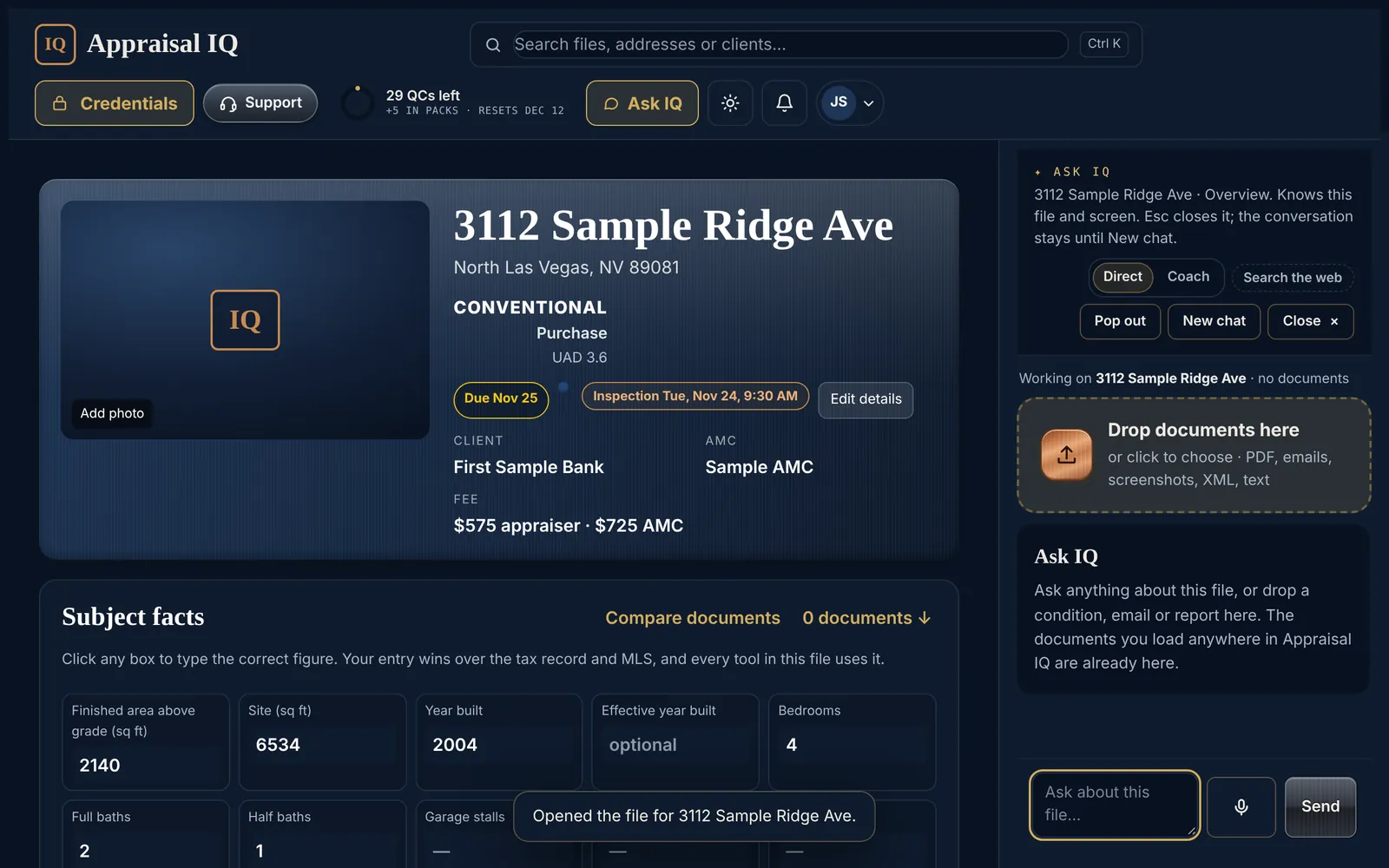
Drag the engagement letter, the tax sheet and the MLS sheet onto New Appraisal. Osova creates the file and its tile, reads the client, fees, due date, loan type, purpose and form, fills the subject facts and pulls the subject photo. Every document flows to every engine that uses it.
Every order starts with twenty minutes of typing.
Before any appraising happens, the same facts get keyed into the tracker, the form software, the calendar and the invoice, one field at a time, from documents you already have.
The same facts, typed four times
Client, AMC, borrower, fees, due date, loan type and form, copied from the engagement letter into every place that needs them.
Facts scattered across documents
Site size and year built on the tax sheet, bedrooms and baths on the MLS, the photo somewhere in between, and they don't always agree.
Problems found after you said yes
A predetermined value in the order, a form that doesn't fit the property, a due date that doesn't fit your week. Easier to catch before you accept.
Drop the documents. Get a working file.
Automatic file creation reads the documents you already receive with every order and turns them into a file every engine can use.
Drop the order on New Appraisal
Drag documents, a whole folder or a .zip onto the New Appraisal box. Osova reads each one, creates the file and its tile, and fills in what it can. If the address matches a file you already have, it asks whether this is a new QC, a re-check or a new file.
- The engagement letter gives client, AMC, borrower, fees, due date, loan type, purpose and form
- The tax sheet gives site size, year built, assessed values and zoning
- The MLS sheet gives the listing facts and usually the subject photo
Check the subject page, fix anything once
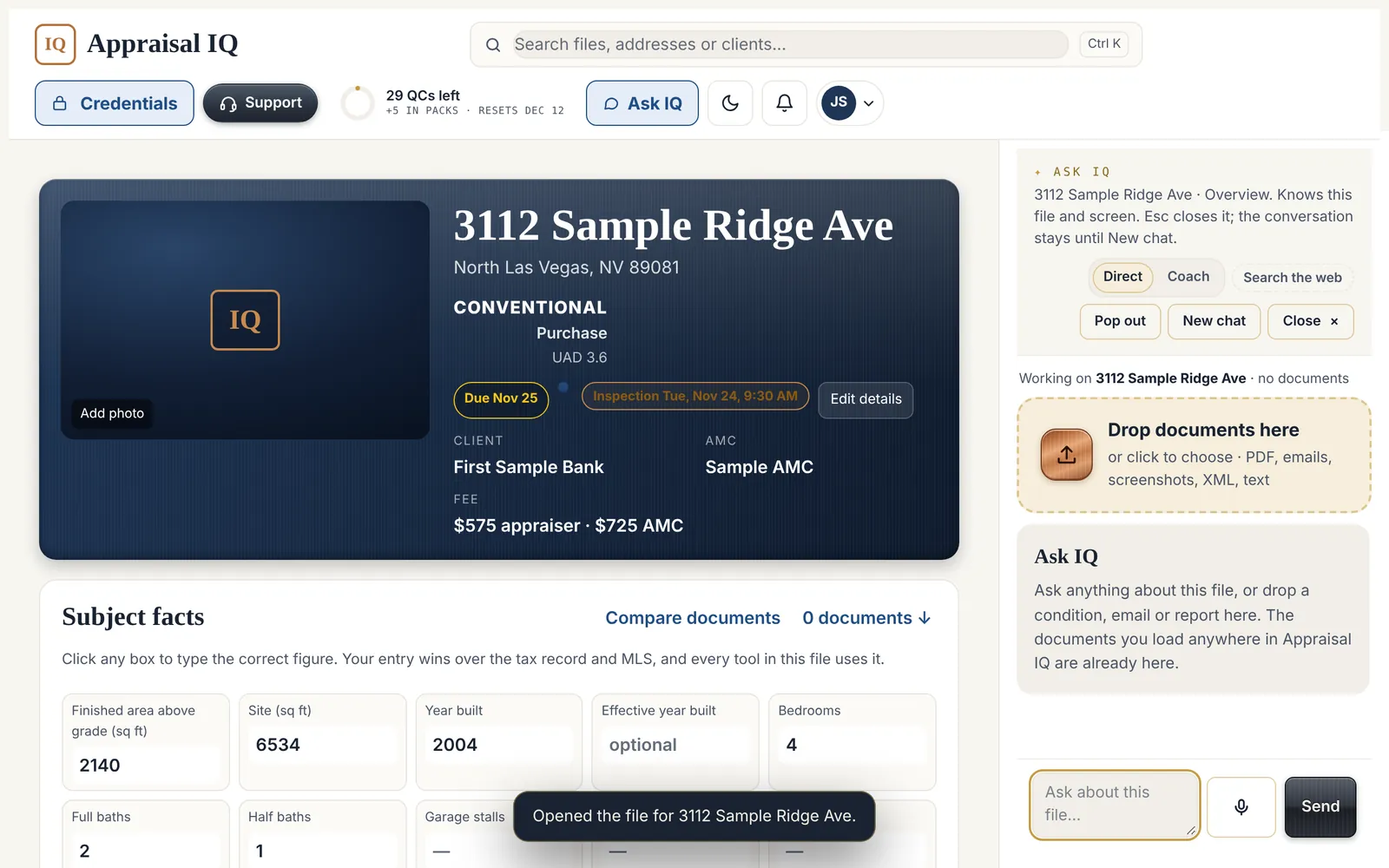
Every fact shows where it came from (Tax, MLS, Report, Doc or You). Click any box to correct it; your entry wins over every document, and every engine in the file uses it. Compare documents shows each fact side by side when they disagree.
- Finished area above grade, site size, year built, rooms, garage, pool, zoning, APN
- Engagement letter check before you accept: prior services, appraiser independence, competency, due date
- Documents dropped later are added, never replaced
Work the file from its tile
Each file is a tile with its status steps, a due chip, the loan type, purpose and form, and a button for every engine. The engines open for that file only, with its documents already loaded.
- Due chip turns yellow at two days and red when due or late
- Active, Completed, Canceled and All tabs, with search by address, client, AMC or borrower
- A 1004D order on a property you appraised reopens the original file
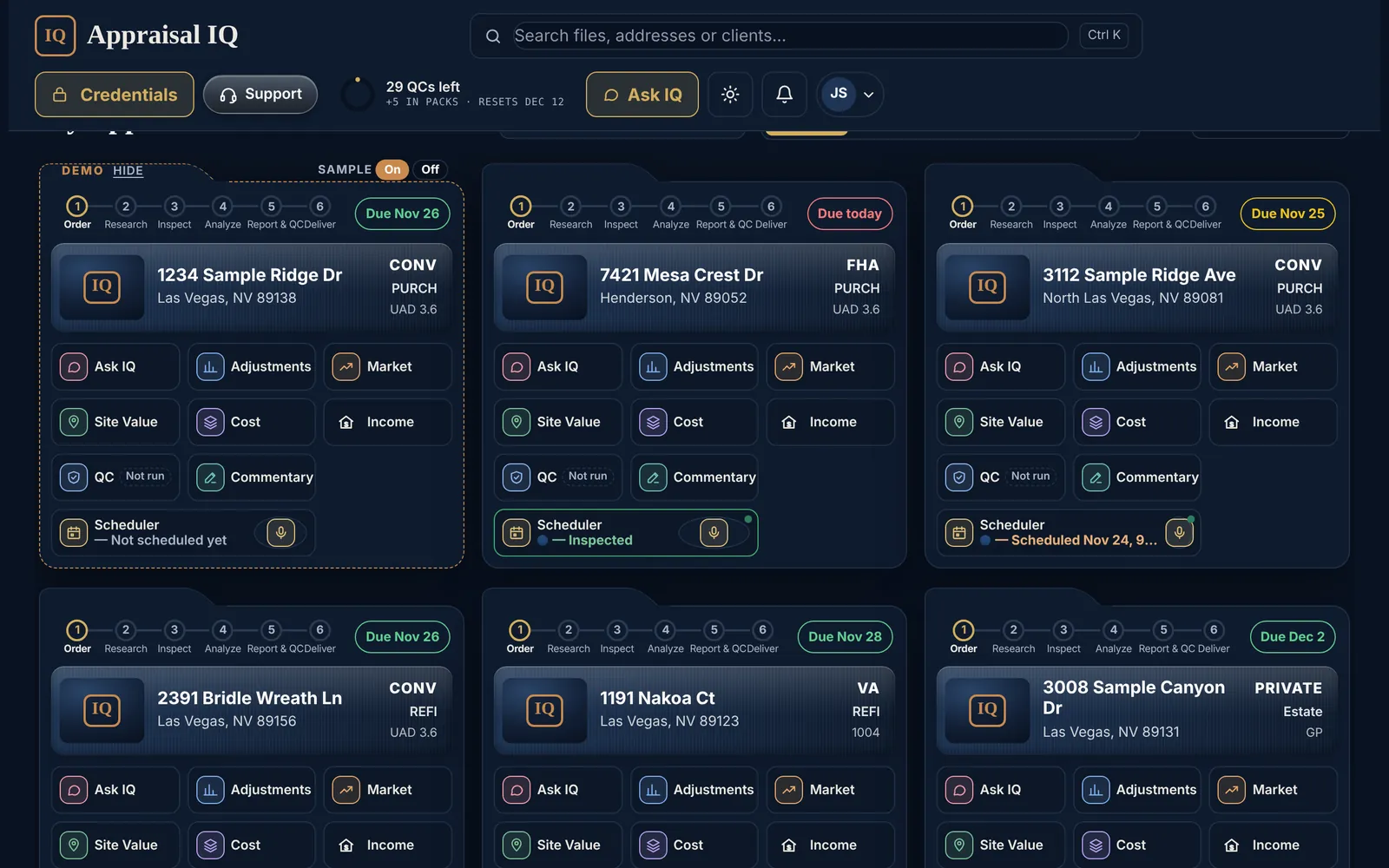
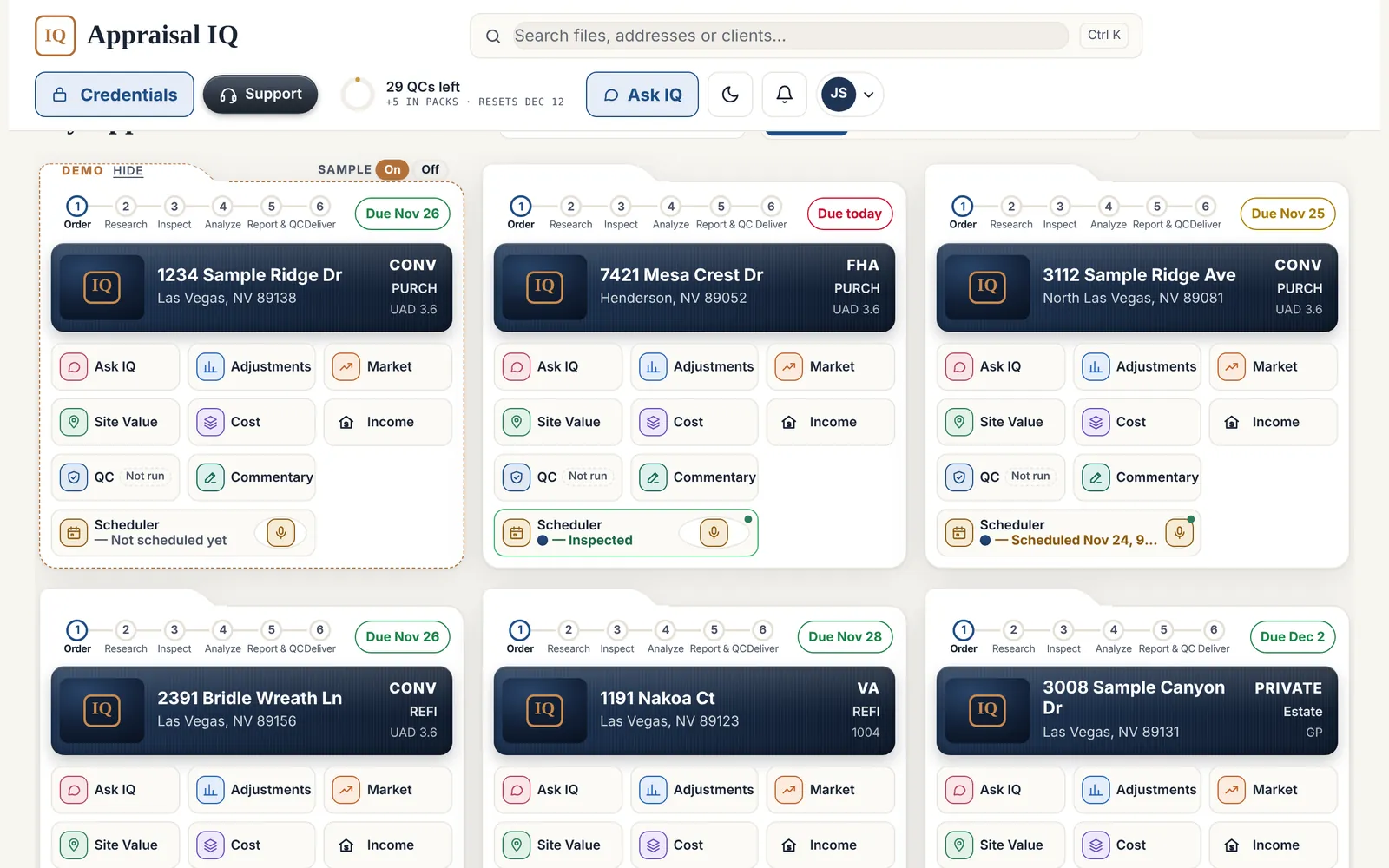
The file, set up and ready to work.
It sets up the file. You accept the assignment.
The engagement letter check flags what needs your answer, including prior services in the last three years, which it always asks you about. A predetermined value in an order is hidden and never saved. You decide whether to accept, accept with conditions or decline.
Straight answers.
What documents should I drop?
The engagement letter, the current tax sheet and the current MLS sheet are the best starting set. You can drop a whole folder or a .zip, and add more documents to the file at any time.
What if a document is read wrong?
Each document shows what Osova thinks it is and where it goes. Change the type if it guessed wrong, and click any subject fact to correct it. Your entry wins over every document.
Does it handle 1004D final inspections?
Yes. An order for a final inspection on a property you appraised before reopens the original file with the new due date, fee and invoice number, and the facts, photos and documents carry over.
Are my documents stored?
No. Your reports and work stay on your computer. We keep only your tracker and QC history, plus anything you choose to share with your team or put in your vault.
One subscription. Your whole desk.
Automatic file creation is one of 16 tools in every Osova license.
Your next order, set up for you.
New plans and pricing arrive January 1. Request early access and we'll set you up. Your reports and work stay on your computer.