

Support your adjustments from your own MLS data.
Drop a closed-sales export into Adjustment Analysis. Narrow it to the sales that compete, and see what five methods support for each feature. When the market can't isolate one, the depreciated cost calculators give you a cost indication. Then copy the addendum.
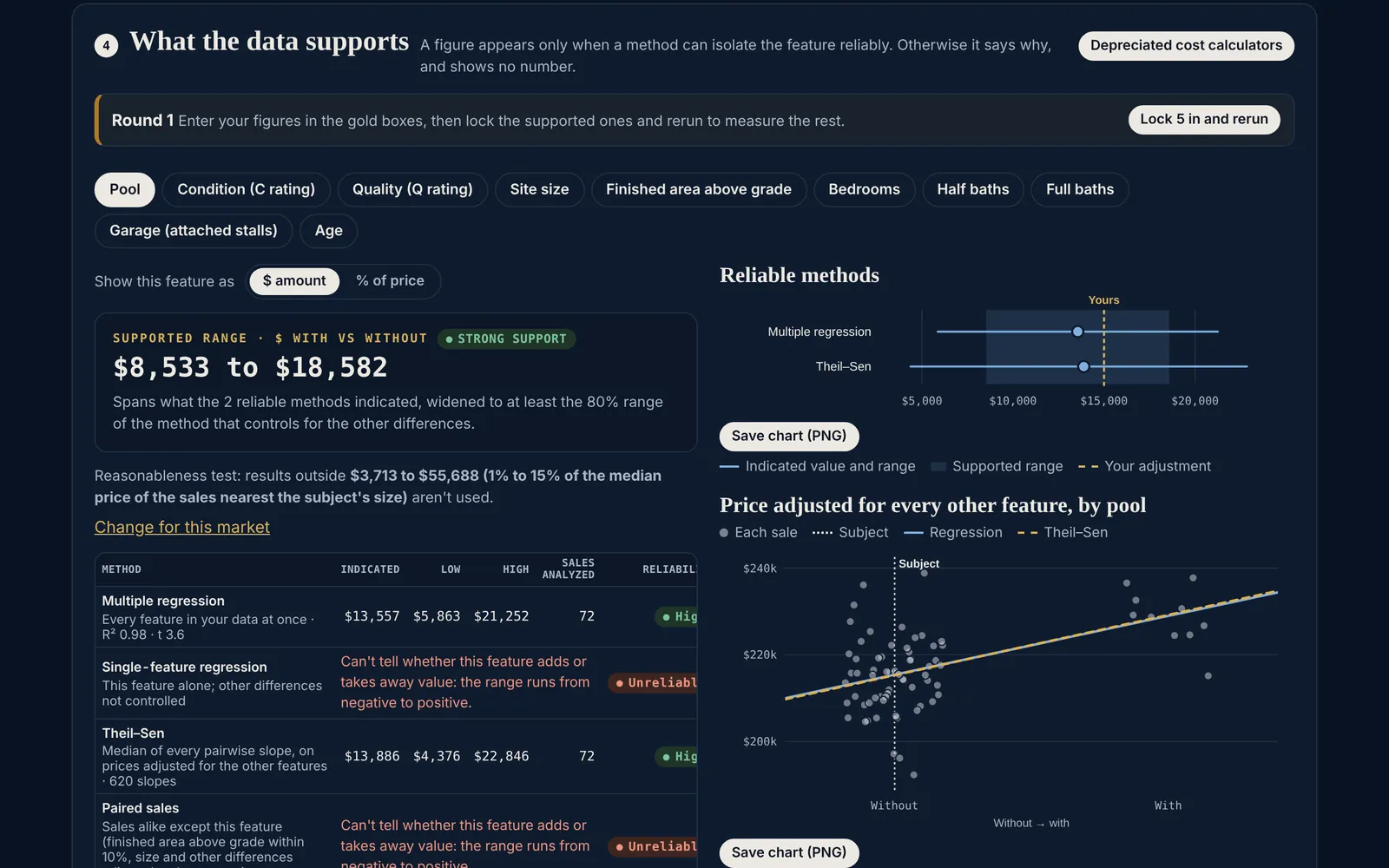
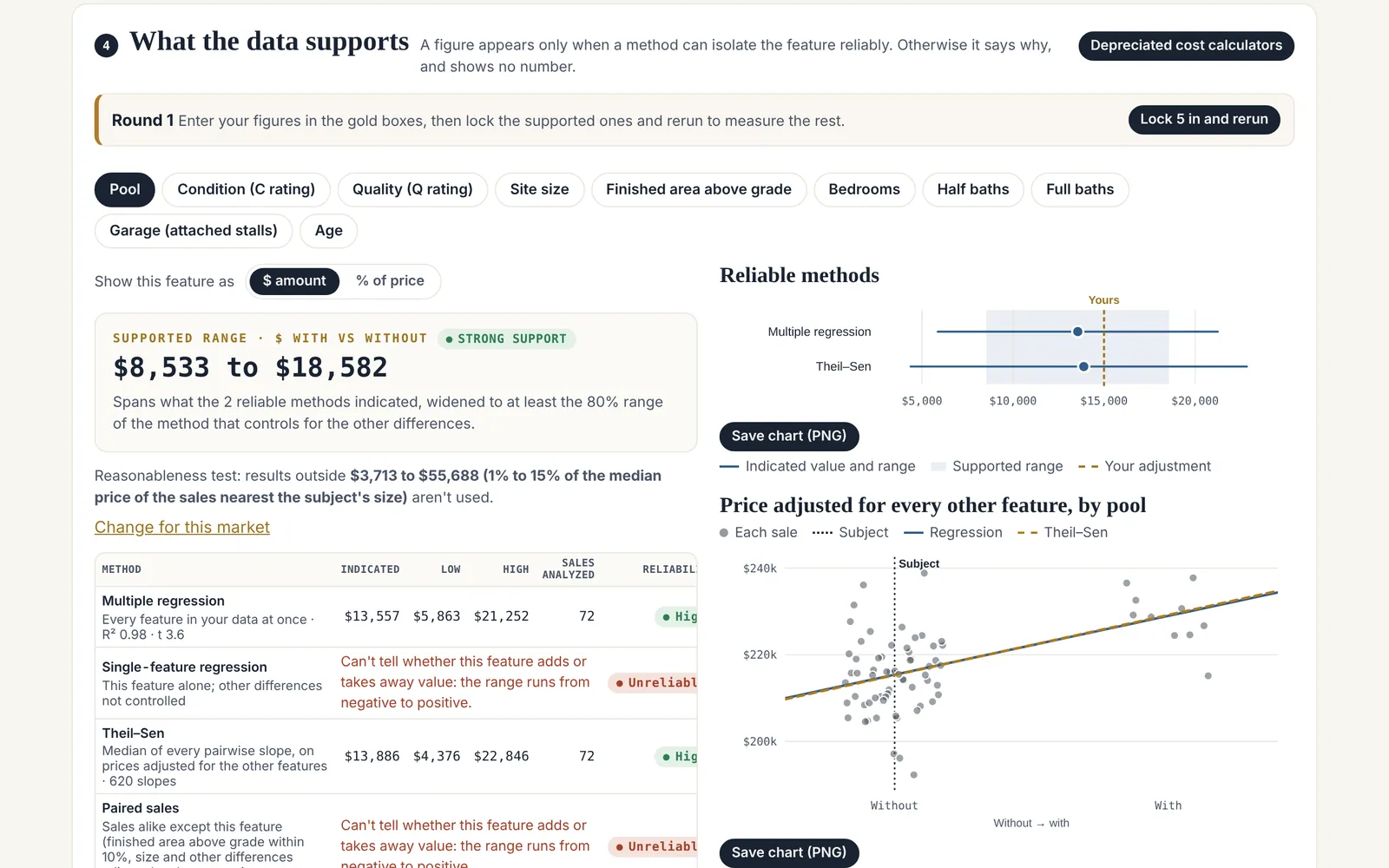
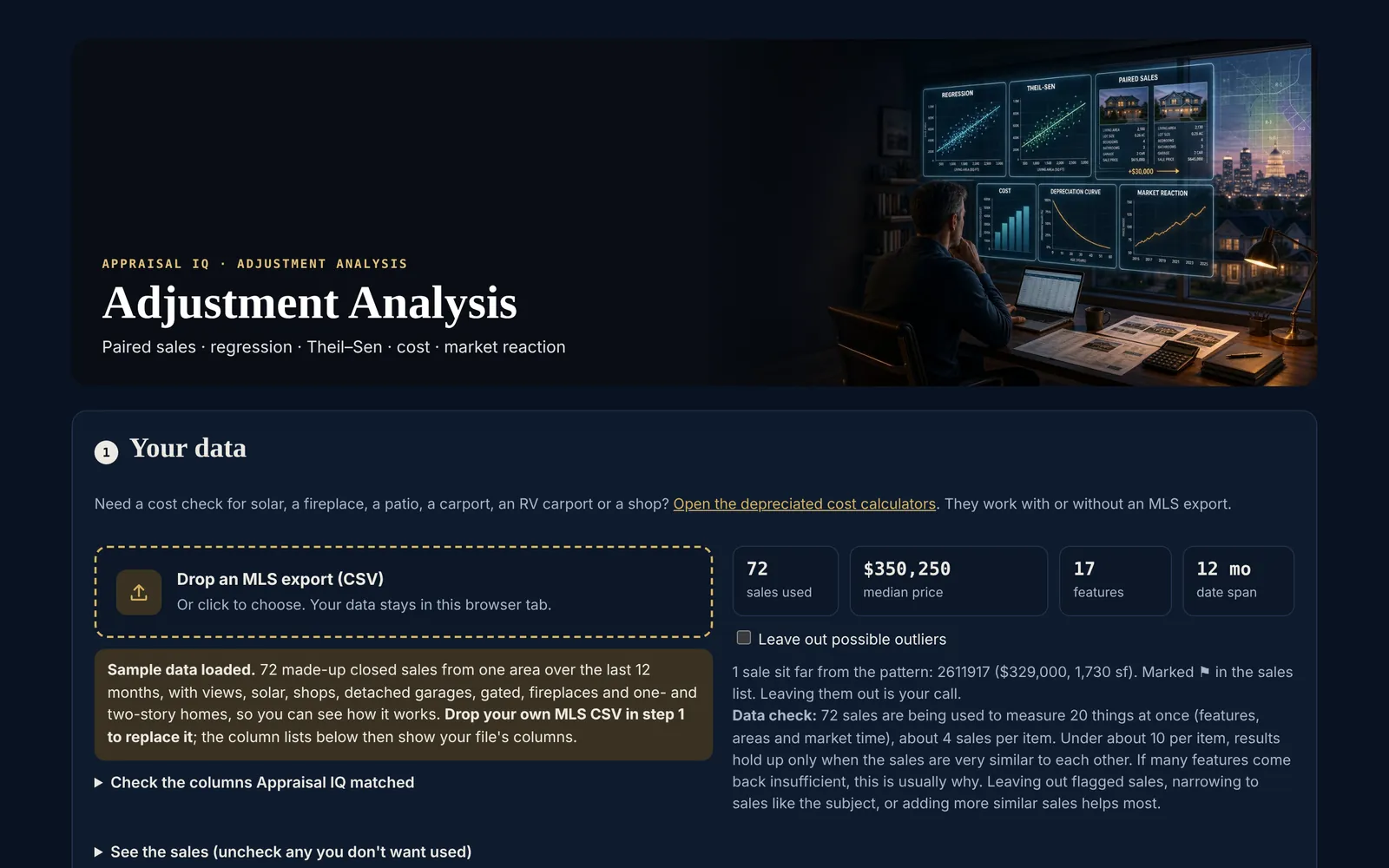
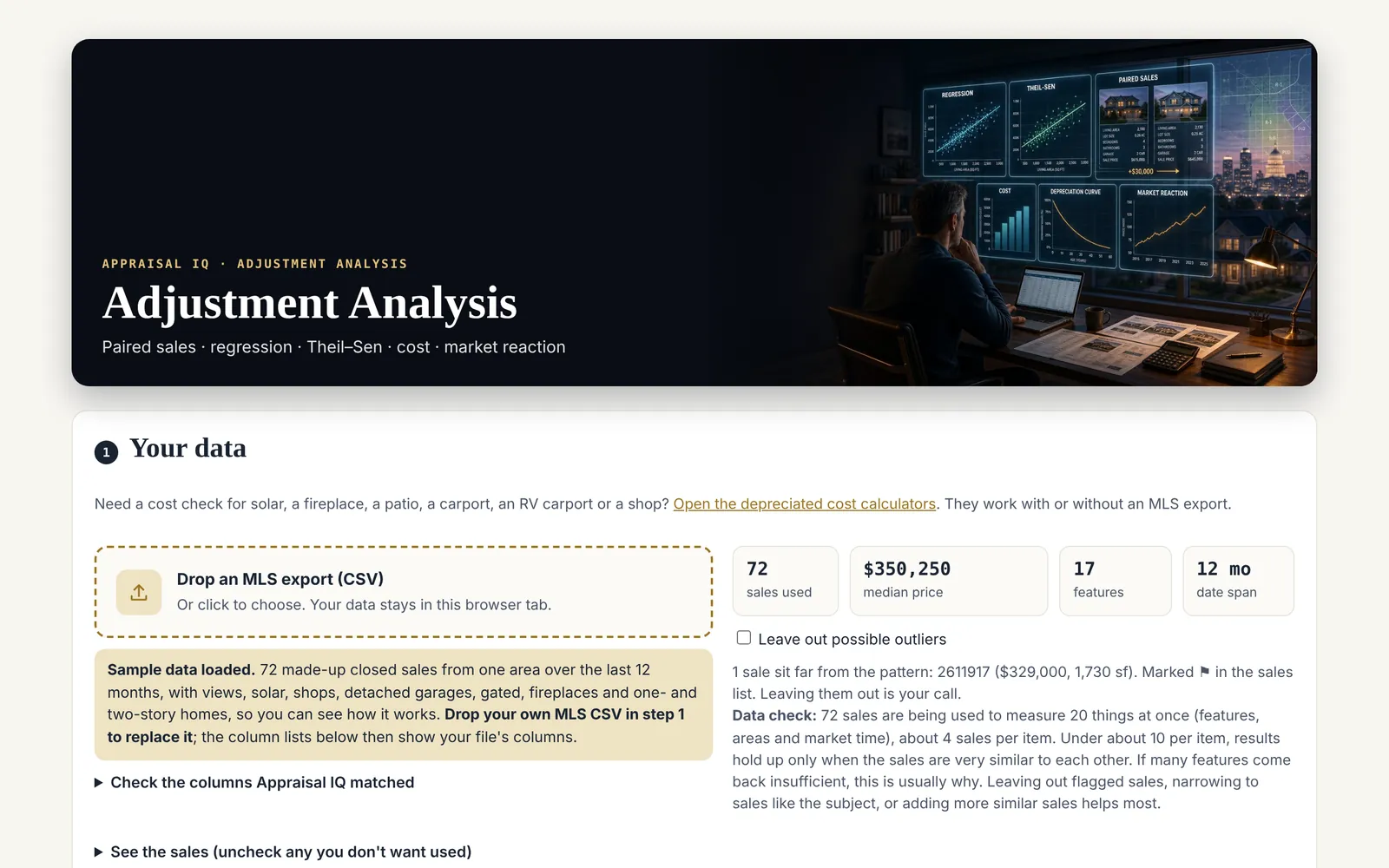
Step 4, screen by screen.
What you do, in order, and what Osova does for you at each point.
Drop your MLS export
Pull the subject's market area, similar property type, roughly 12 to 24 months, ideally 30 or more sales. Osova matches the columns for you; Check the columns fixes any it matched wrong.
- The subject fills in from the report or the file
- Turn on every feature you want tested
- Runs in your browser; your sales file isn't kept
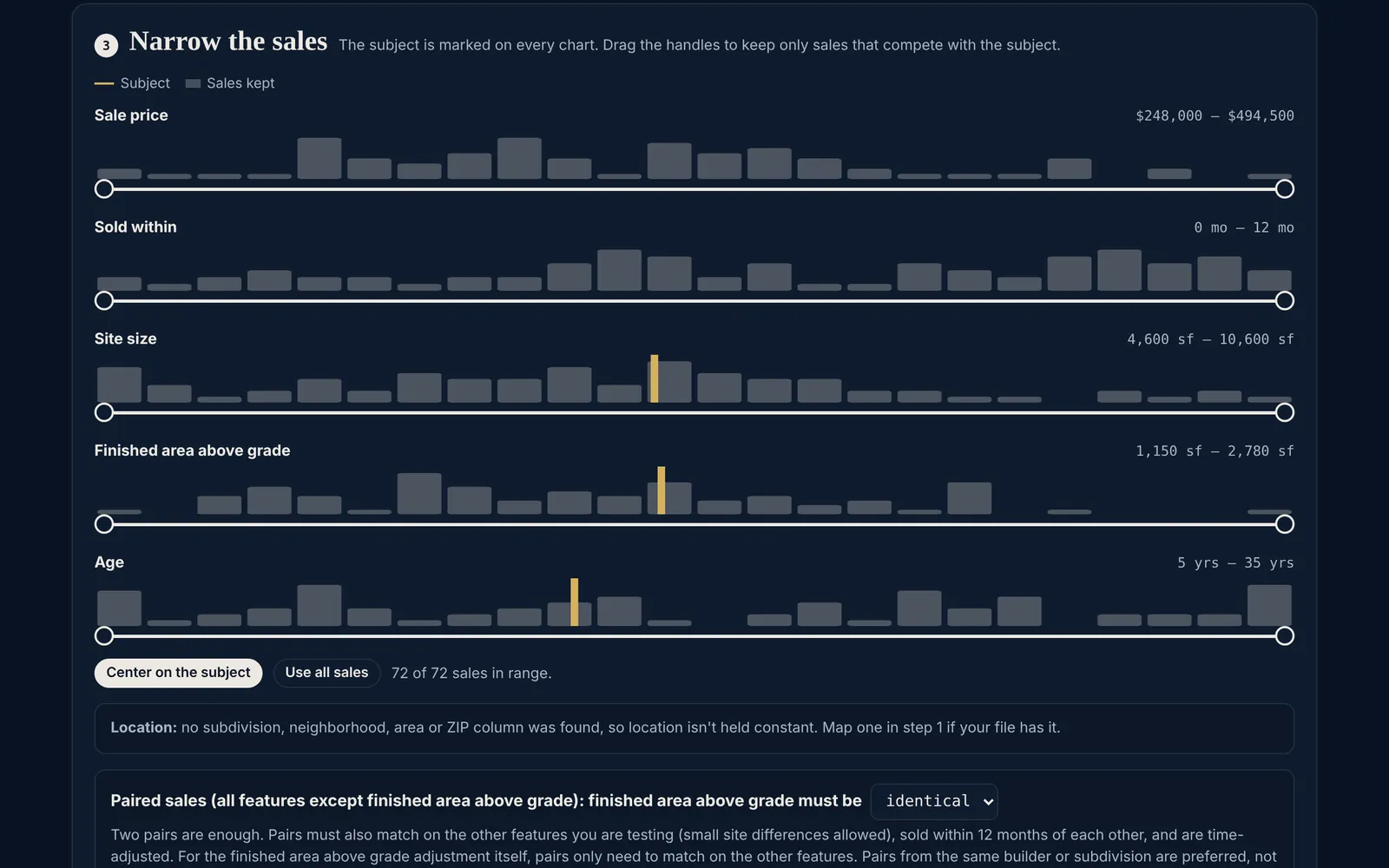
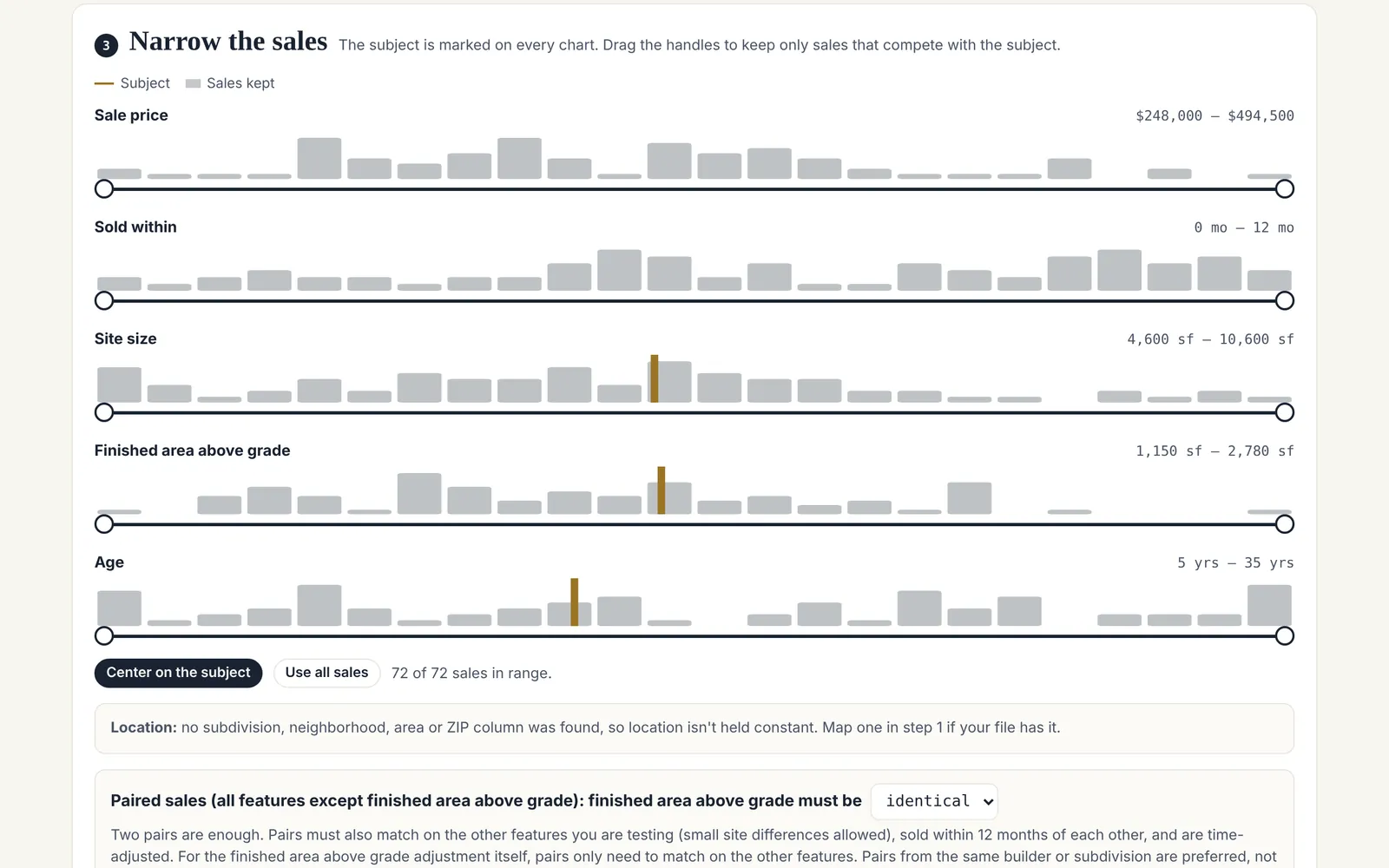
Keep only the sales that compete
The subject is marked on every chart. Drag the handles to keep the sales that compete on price, size, site and age.
- Center on the subject or use all sales in one click
- Too narrow? Step 4 tells you there isn't enough data
- Location held constant when a ZIP or neighborhood column is found
See what the data supports, then lock it in
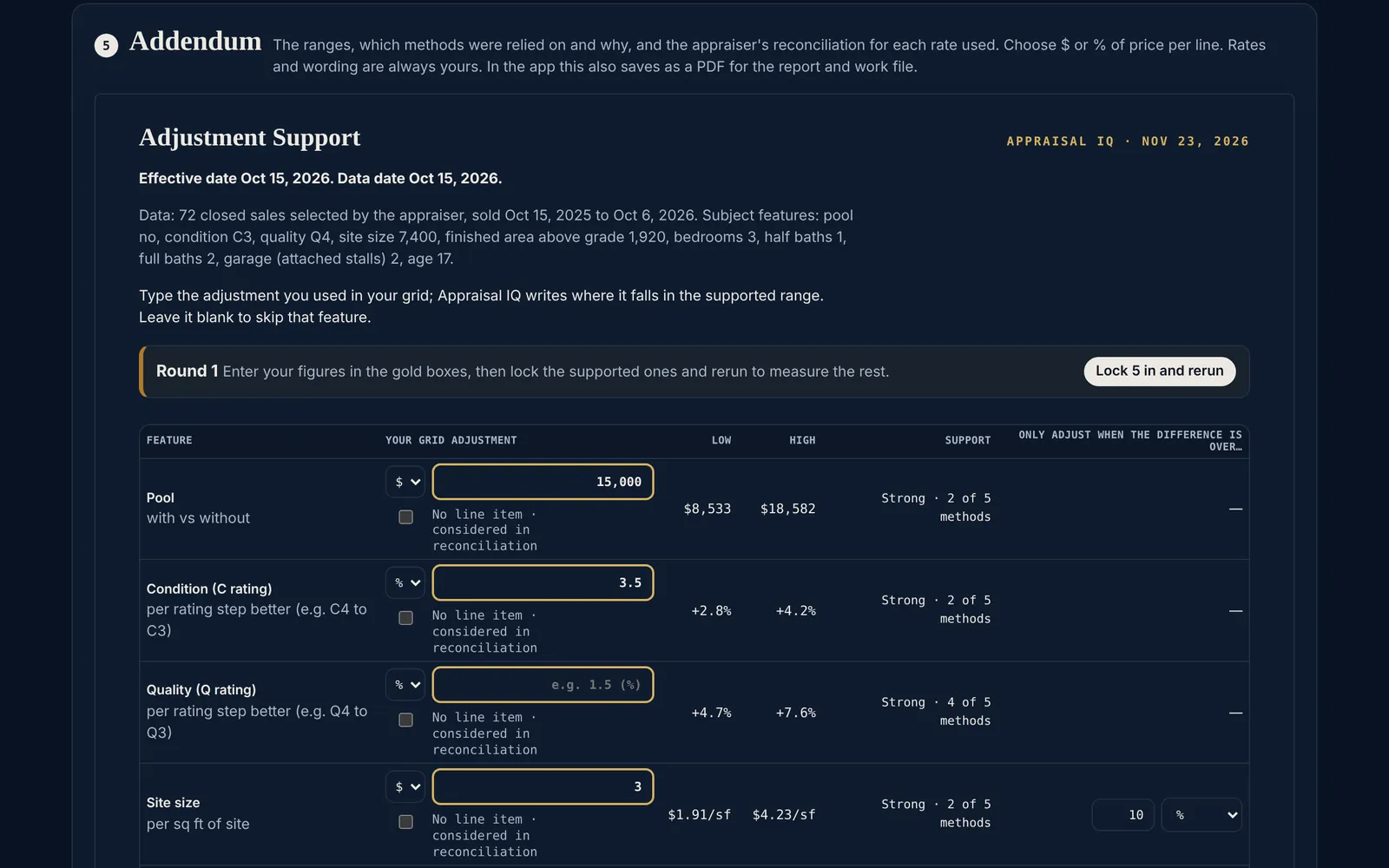
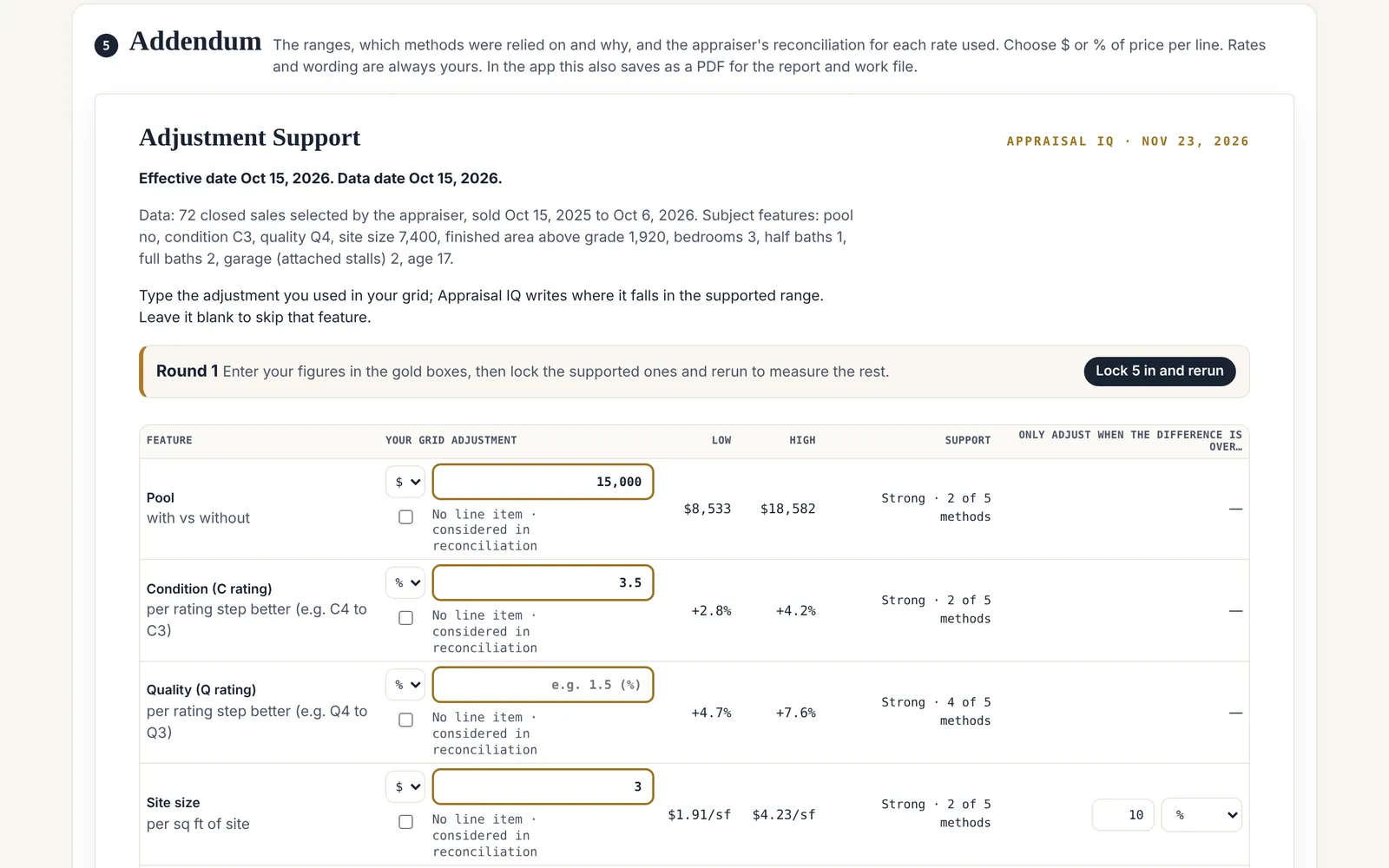
Multiple regression, single-feature regression, Theil-Sen, paired sales and grouped data run for each feature. A figure appears only when a method can isolate the feature reliably. Type your figure, press Lock in and rerun, and the rest are measured again.
- Results outside a reasonable range for your market aren't used
- A figure outside the supported range is flagged in red
- Your comparables can be converged inside the ranges
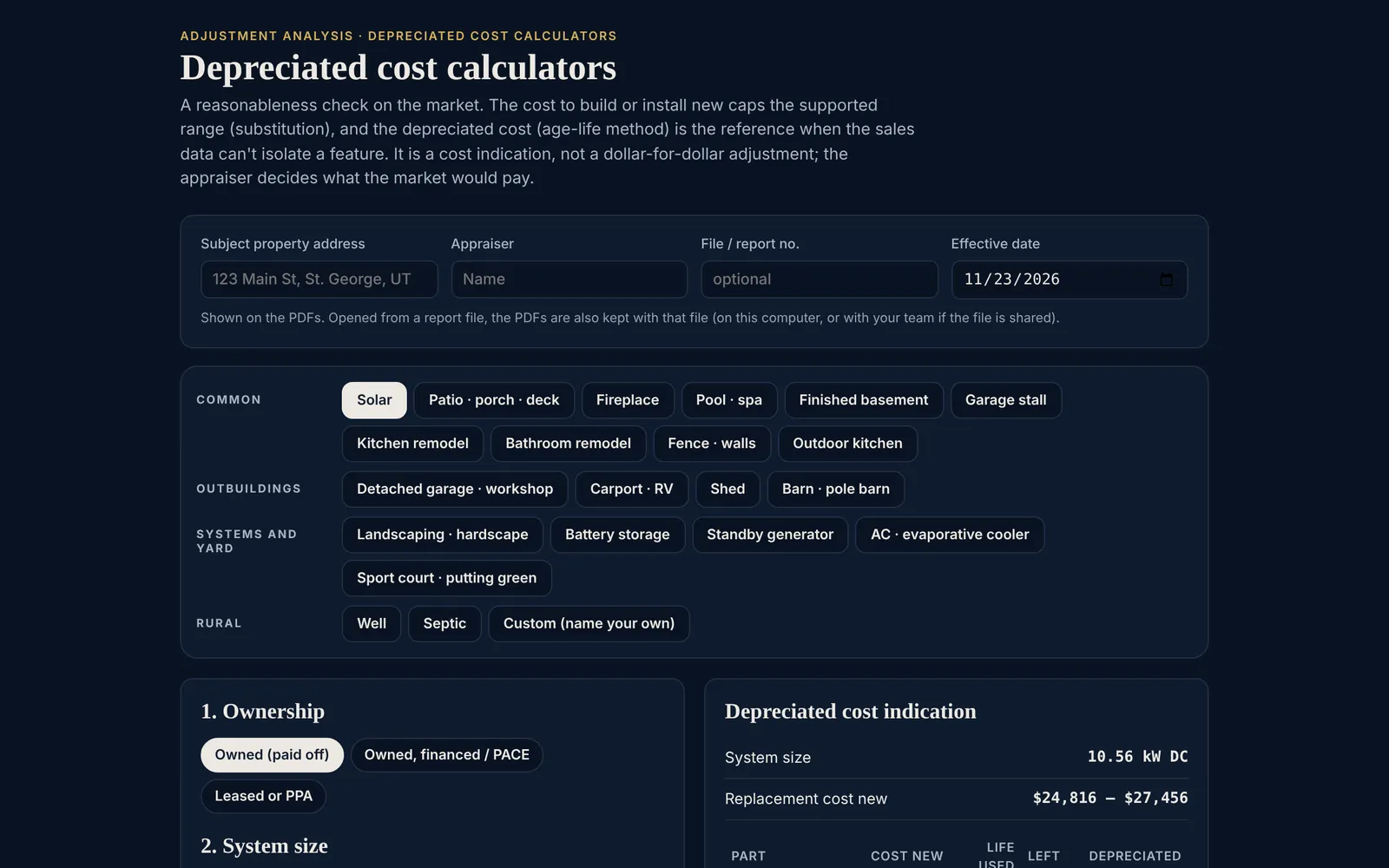
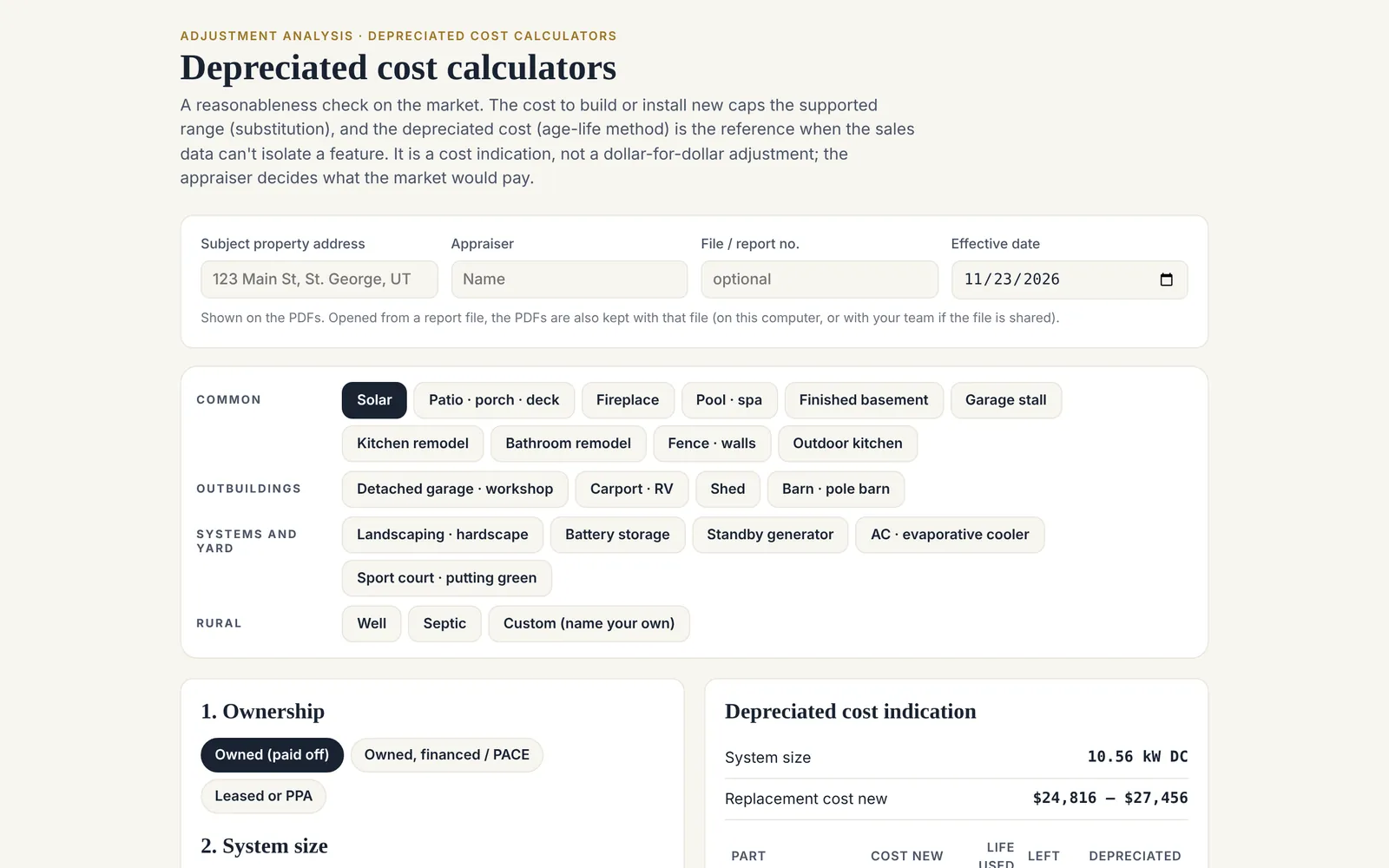
Use a cost indication when the market can't measure it
Solar, fireplaces, patios, carports and RV, shops and garages: the depreciated cost calculators give a cost indication with its source, with or without a sales file.
- Owned, financed or leased solar handled differently
- Replacement cost new and depreciation shown
- The indication carries back into Adjustment Analysis
Copy the addendum
Enter the adjustments you used and the addendum is written: the ranges, which methods were relied on and why, and your reconciliation for each rate. Choose $ or % of price per line.
- 3.6 commentary by section on UAD 3.6 files
- Only the features you tested are included
- Work file PDF for the report and the work file
Before you move on.
Straight answers.
How many sales do I need?
Ideally 30 or more from the subject's market area over roughly 12 to 24 months. With fewer, more features come back as insufficient data, with the reason.
What are the five methods?
Multiple regression, single-feature regression, Theil-Sen, paired sales and grouped data. Each result is checked against a reasonable range for your market.
What if a feature can't be measured?
Widen the sales, add sales, or lock in what you have and rerun. For solar, fireplaces, patios, carports and RV, shops and garages, use the depreciated cost calculators.
Try all six steps on your next report.
New plans and pricing arrive January 1. Request early access and we'll set you up. Your reports and work stay on your computer.